
Introduction
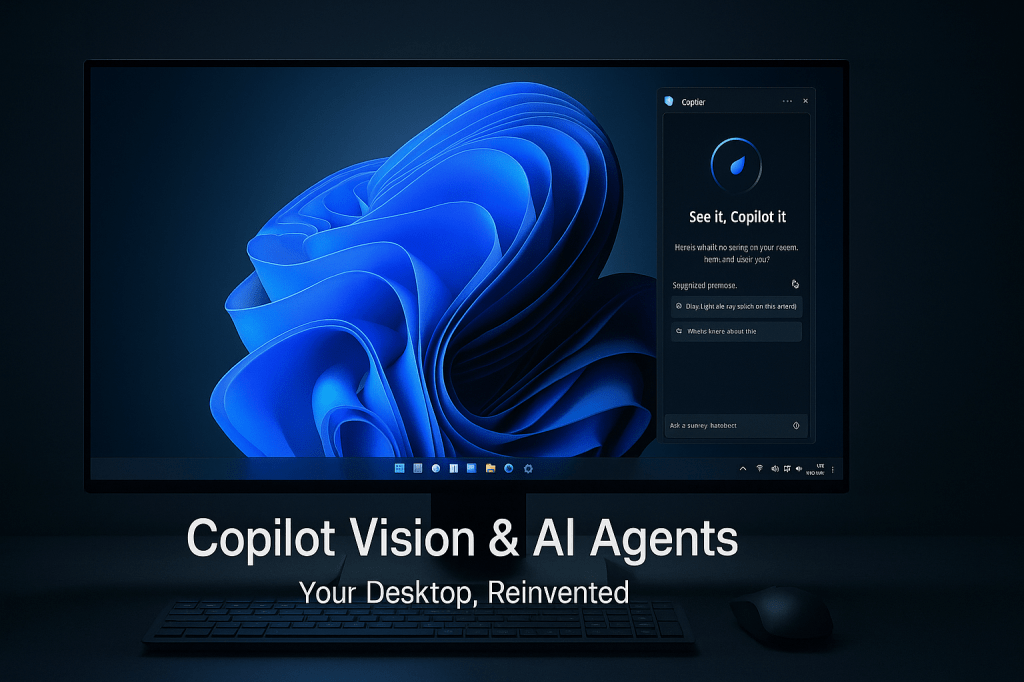
Microsoft’s July 2025 update for Windows 11 isn’t just another patch—it’s a profound shift in how your PC understands and assists you. No longer confined to passive tools, Windows now offers full-screen AI insights with Copilot Vision, a built-in natural-language agent for system tasks on Copilot Plus devices, and a revolutionary “Click to Do” context menu that turns text selections into instant actions. Coupled with powerful creative enhancements in Paint and Photos—like one-click sticker extraction, advanced masking, and cinematic relighting—this release makes your desktop feel less like software and more like a collaborative partner designed to boost productivity, spark creativity, and simplify everyday computing.
A Closer Look at Windows 11’s AI Innovations
- Copilot Vision Everywhere
No longer limited to two open apps, Copilot Vision can now analyze your entire screen. Highlight error messages in your IDE, parts of a complex slide deck, or even data tables in Excel, then ask questions like “What’s causing this exception?” or “Summarize the key trends here.” Windows uses on-device OCR and UI-element recognition to deliver instant, context-aware answers without switching windows or copying text. - System-Wide AI Agent on Copilot Plus PCs
On Snapdragon-powered Copilot Plus devices, an AI agent resides in Settings, ready to handle system commands via natural language. Say “Turn on focus assist until 6 PM,” “Set my display to night light at sunset,” or “Clear temporary files and optimize my drive,” and the agent maps your request to the proper Windows APIs. This reduces clicks and menu hunting for both non-technical and power users. - Contextual “Click to Do” Action Menu
Anywhere you can select text—emails, PDFs, webpages, or documents—right-clicking now surfaces a “Click to Do” option. From there you can draft an email reply, schedule a meeting based on highlighted dates, summarize a paragraph, translate text, or generate a quick outline. This one-step workflow eliminates the need for copy-paste or app-switching, saving minutes every day for knowledge workers. - AI-Powered Creative Tools in Paint
Paint introduces AI-driven sticker creation: draw a rough outline around any object, and the AI instantly isolates it with professional-grade edge detection, delivering a transparent PNG ready for reuse. Complex masking—think strands of hair, foliage, or irregular shapes—is now one click. A new “magic fill” tool can intelligently replace backgrounds or extend canvases, making mockups and quick edits a breeze. - Advanced Photo Relighting in Photos
Choose from curated lighting presets such as “Golden Hour,” “Studio Softbox,” or “Moody Cinema” to relight any image realistically. The AI adjusts shadows, highlights, and color temperature, preserving natural skin tones and textures. These effects work on entire albums in batch mode, letting you give your vacation photos or social-media shots a professional cinematic polish in seconds. - Precision Screenshot & Annotation
The revamped Snipping Tool offers semantic cropping: draw loosely around the content you need, and the AI snaps to logical elements—tables, charts, UI panels. Built-in annotation tools then suggest arrows, callouts, and blur effects, perfect for bug reports, tutorials, or quick feedback. Your screenshots are transformed into clear, shareable assets in one fluid workflow. - Local-First AI with Cloud-Scale Power
To balance privacy and performance, core vision and text-recognition run entirely on your device. For heavier reasoning—like summarizing a lengthy report or translating multiple paragraphs—Windows securely leverages cloud inference only when you approve. This hybrid design keeps sensitive data local while giving you access to large-model capabilities when needed. - Hardware-Accelerated Inference
Copilot Vision and the system agent tap into dedicated NPU and GPU cores on Copilot Plus silicon, delivering sub-second responses for most tasks. Whether diagnosing a blue-screen error or generating a meeting summary, the AI feels fast and integrated, not like an external service detached from your workflow. - Developer SDK & Third-Party Integration
Microsoft plans to ship a Copilot Vision SDK later this year, exposing screen-analysis and action APIs. Third-party apps—from finance dashboards to design suites—will be able to embed full-desktop AI assistance, letting you ask questions or generate content without leaving specialized software. - Non-AI Productivity Enhancements
Alongside these breakthroughs, Windows 11 adds a color-picker in the Snipping Tool—ideal for designers grabbing brand palettes—and an automated repair wizard that diagnoses and fixes driver faults or unexpected restarts without affecting your files. These quality-of-life improvements round out a release focused on making every click and keystroke count.
Transforming Daily Workflows
- Debugging Without Disruption
A developer hits a cryptic exception in Visual Studio. Instead of switching to a browser, they highlight the error, invoke Copilot Vision, and ask for a diagnosis. Within seconds, they receive not just an explanation but a suggested code patch—and can even generate unit tests for the fix—all inline. - Effortless System Tuning
Preparing for an all-night design session, a user tells the AI agent, “Dim the screen at 80%, silence notifications, and boost CPU performance.” Instantly, Windows applies dark mode, focus assist, and high-performance power settings, creating the perfect environment without diving into multiple Settings menus. - Meeting Summaries on Demand
During a Teams call, the transcript pane displays the live discussion. Post-meeting, the user selects key text, clicks “Click to Do → Summarize,” and receives a bullet-point outline with action items. They copy the summary into an email and send it—all within minutes. - Brand Graphics in an Instant
A social media manager needs product stickers for a campaign. They open a product photo in Paint, loosely draw around the item, and click “Generate Sticker.” The tool spits out a clean PNG with a transparent background, ready to drop into Instagram Stories or website banners. - One-Click Email Drafting
After reading a project update, a product manager highlights the relevant paragraph in Outlook, selects “Click to Do → Draft Response,” and gets a polished email reply—complete with proposed next steps and meeting suggestions—without leaving the inbox.
Looking Ahead
Microsoft’s July 2025 Windows 11 update sets a high bar, but it’s just the beginning. As hardware partners adopt Copilot Plus architectures, expect ever smoother on-device inference and new system-level AI features—perhaps proactive notifications based on screen content or deeper cross-device context sharing with Windows on ARM and cloud PCs. The upcoming SDK will invite developers to weave Copilot Intelligence into every corner of Windows, from Edge extensions to enterprise line-of-business apps. Together, these innovations signal a future where your PC doesn’t just run software—it actively augments your skills, anticipates needs, and co-authors your digital experience with you.
FAQs Section
What devices support the new AI agent?
The natural-language system agent lives exclusively on Snapdragon-powered Copilot Plus PCs, leveraging on-chip NPUs. Standard Windows 11 PCs still get Copilot Vision and “Click to Do.”
Can I disable Copilot Vision’s full-screen mode?
Yes—you can restrict Vision to specific apps or regions, or turn it off completely via the Copilot settings panel for full privacy control.
Does “Click to Do” work in third-party apps?
It works wherever selectable text is recognized—Microsoft apps first, with planned expansion to many popular browsers and office suites via future updates.
Are Paint and Photos AI features free?
All AI-powered enhancements in Paint and Photos are included in the free Windows 11 update; no additional subscriptions are required.
How is my data kept private?
Core OCR and UI analysis happens locally. Cloud-based reasoning runs only after you approve, and Microsoft enforces strict privacy controls on any data sent off-device.
When will developers get the Copilot SDK?
Microsoft has announced an SDK release for later in 2025, enabling third-party apps to integrate Copilot Vision’s screen analysis and automation features.
How soon will everyone see this update?
Windows Insiders already have access. The general rollout via Windows Update begins in late July and continues through August 2025, depending on your region and device.
 The Artificial
Leave a comment