
~20 min read
It finally happened. Video production just became a CLI command.
For decades, video creation has been a discipline defined by friction. It has been a “drag-and-drop” world dominated by heavy, monolithic timeline editors, complex keyframe graphs, and the manual manipulation of millions of pixels. If you wanted to change the color of a lower-third title, you didn’t just change a variable; you clicked the layer, opened the effects panel, found the color picker, and manually adjusted it. If you needed to make that same change across 100 different videos for a localized ad campaign, you didn’t write a script—you hired an intern to spend a week clicking buttons.
For software developers, this black box of creativity has always felt alien. We operate in a world of abstraction, variables, loops, and reusable components. We are used to defining a style once in CSS and having it cascade everywhere. Video editing, by contrast, felt like manual labor—a brute-force approach to creativity where every frame had to be crafted by hand.
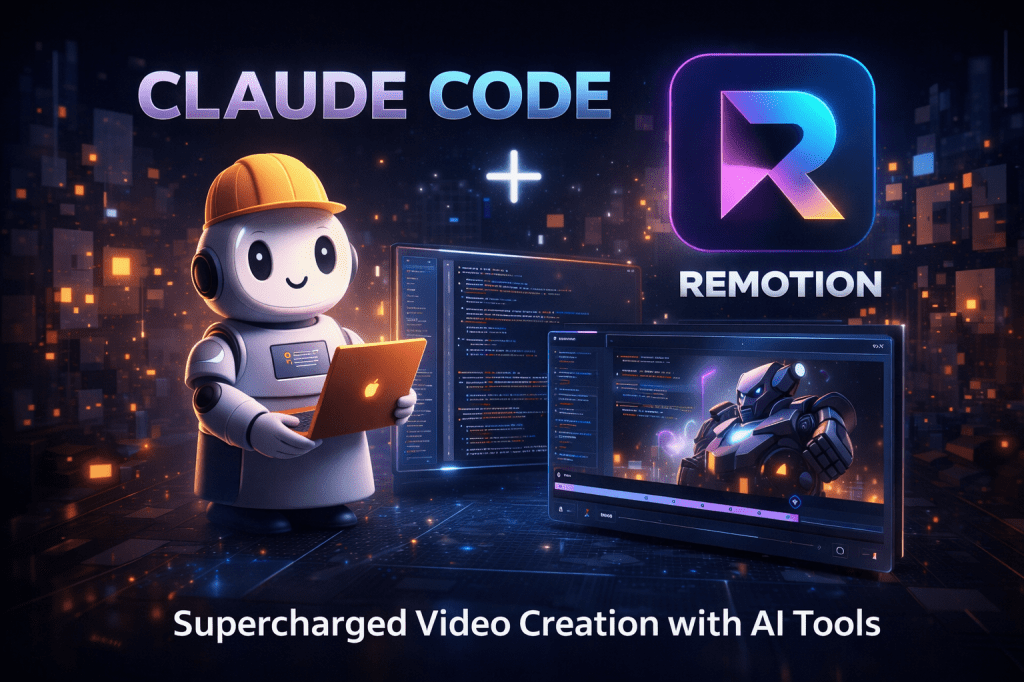
But with the release of Claude Code (Anthropic’s agentic CLI) and the official Remotion Agent Skills, the barrier between software engineering and video production has not just lowered; it has vanished.
You no longer need to manually keyframe a bouncing ball or drag a slider to smooth out an animation curve. You don’t even need to be fluent in React. You just tell your terminal what you want, and an agent builds the video for you, compiling natural language into motion in real-time.
Here is why the combination of Claude Code and Remotion is the most significant shift in content creation since the invention of the non-linear timeline editor.
The Missing Link: “Agent Skills”
The breakthrough here isn’t simply that Claude is a smart Large Language Model (LLM). It is that the Remotion team explicitly taught Claude how to make videos.
In January 2026, Remotion released an official “Skill” package for Claude Code. Think of this not just as a system prompt, but as a specialized driver installation for the AI. It acts as a semantic bridge, giving the AI deep, structural context on the framework’s specific constraints, best practices, and capabilities. Without this, an LLM is just guessing at syntax based on outdated training data; with it, the agent becomes a domain expert.
This “Skill” package injects specialized knowledge into the agent’s context window, transforming it into a specialized video engineer:
- Composition Architecture & Root Registration: It understands that a Remotion project isn’t just a collection of components; it requires a specific entry point. It knows how to register a video in the
Root.tsxfile using the<Composition>component so the renderer can actually find and process it. It understands thatwidth,height, andfpsare immutable constants for a render session. - Animation Primitives & Math: It knows how to use the
interpolate()function to map time (frames) to values (opacity, position, scale). Crucially, it understands thatframeis the source of truth. It can mathematically derive a bounce effect using spring physics (useCurrentFramecombined withspring()) rather than guessing at arbitrary keyframe values, ensuring buttery smooth motion that adheres to the laws of physics. - Asset Management & Bundling: One of the hardest parts of code-based video is handling files. The agent knows how to handle static assets like images, fonts, and SVGs. It understands the
staticFile()utility to import assets without breaking the Webpack/Vite build, preventing the common “missing texture” or “404 asset” errors that plague manual coding. - Audio Sequencing & Visualization: It understands the complexity of audio mixing. It knows how to layer multiple
<Audio>tracks, fade them in and out using code, and even use theuseAudioData()hook to drive visualizations—for example, making a bar chart bounce or a logo pulse in exact synchronization with the beat of a song.
Before this integration, you had to paste pages of documentation into the chat window to get a working result, often hitting context limits or getting hallucinated APIs. Now, Claude “knows” Remotion natively.
The New Workflow: Text-to-Render
Forget opening Adobe Premiere and waiting for it to load plugins. Forget opening VS Code and manually typing boilerplate. You can now produce a video entirely from your terminal. This is a “Headless Creator” workflow, where the interface is conversation and the output is a render.
Step 1: Install the Brain + The Body
First, you need the agent (Claude Code) and the engine (Remotion). This setup turns your CLI into a production studio.
# 1. Install Claude Code (if you haven't already)npm install -g @anthropic-ai/claude-code# 2. Create a fresh video project using the latest templatenpx create-remotion@latest my-agentic-videocd my-agentic-video
Step 2: Download the “Knowledge”
This is the magic step. You are injecting Remotion expertise directly into Claude’s memory. By adding these skills, you are essentially “patching” the AI with domain-specific abilities, similar to installing a plugin in a traditional editor.
npx skills add remotion-dev/skills
Once installed, Claude will reference these skills automatically whenever it detects you are trying to build or debug a video. It will pull in the correct documentation for the version you are running.
Step 3: The Director’s Prompt
Now, you act as the Creative Director. Launch Claude and give it a high-level goal. The prompt is no longer just text; it is a functional specification.
claude
Prompt: “Create a 15-second vertical video (1080×1920) for a product launch.
- Intro Sequence: Start with a ‘Hello World’ title that fades in over 1 second using an
ease-in-outcubic bezier curve. The font should be ‘Inter’ and set to bold white on a black background.- 3D Product Showcase: Transition to a 3D rotating cube (utilize
@remotion/threeand@react-three/fiber). The cube should rotate on the Y-axis continuously and feature a metallic, reflective texture. Add a simple point light to create depth.- Call to Action: End with a ‘Swipe Up’ button that pulses in size using a spring animation loop.
- Architecture: Use
zodschema to make the primary colors, text content, and animation duration customizable via props. Split each scene (Intro,Cube,Outro) into its own component file for cleanliness.”
Claude will then execute a multi-step agentic loop, “thinking” through the problem like a senior engineer:
- Plan: It outlines the component structure (e.g.,
src/Intro.tsx,src/CubeScene.tsx,src/Outro.tsx) and defines the data schema insrc/schema.ts. - Write: It generates the code for the
Composition.tsxfile and the sub-components, correctly handling the imports, exports, and absolute positioning. - Install: It detects that you requested 3D capabilities and automatically installs the necessary dependencies (
@remotion/three,@react-three/fiber,@react-three/drei) via npm/bun without being asked. - Debug: It runs a dry-run build check. If there is a TypeScript error (e.g., a missing prop type or an unused import), it reads the error log, fixes the code, and tries again without you lifting a finger.
Step 4: Watch it Build
You can keep the Remotion Studio open in a browser window (npm start) on a second monitor. As Claude writes code in the terminal, the video in your browser updates in real-time with “Fast Refresh.” It’s like watching a ghost editor work on your timeline, except the “editor” is writing JavaScript loops instead of dragging clips.
You provide feedback: “The cube is spinning too slow. Make it 2x faster and add a blue ambient light.” Claude modifies the useFrame loop in the React component, and the video updates instantly.
Why “Agentic Video” is Superior
You might ask: “Why not just use Sora, Runway, or Veo? Aren’t those easier?”
This is the most critical distinction in modern AI media. We are seeing a divergence between Probabilistic Video and Deterministic Video.
Generative Video (Sora) is Probabilistic
It is a dream machine. It creates beautiful, surreal imagery, but it effectively “hallucinates” every pixel.
- No Editability: You cannot ask Sora to “move that logo 10 pixels to the left.” You have to re-roll the dice and hope the new seed works.
- Inconsistency: Text is often garbled, fingers warp, and physics breaks.
- Brand Risk: You cannot force it to use your exact brand hex code
#0055FF. It will just give you “blue.”
Agentic Video (Claude + Remotion) is Deterministic
It is a build machine. It constructs video out of logic, math, and code.
- Pixel Perfect Accuracy: If you ask for a 100px margin, you get exactly 100px. It adheres to strict CSS layout rules.
- Brand Safety: It uses your exact hex codes, your specific font files (.ttf/.woff), and your official SVG logos. It will never misspell your company name because it’s rendering a string variable, not guessing pixels.
- Version Control (Git for Video): Because the video is code, you can track changes. You can
git commita new intro sequence. You cangit reverta bad transition. You can create a “branch” for the holiday version of your ad and merge it back later. - Editability: The output isn’t a “baked” MP4 file; it is editable source code. You can manually tweak the duration, animation speed, or text content later by changing a single variable in a JSON file.
Real-World Use Cases: The “Infinite Content” Engine
The real power unlocks when you stop thinking about making one video and start thinking about infrastructure. When you connect this workflow to live data, you create an engine that can produce thousands of videos autonomously.
Scenario A: The SaaS “Daily Standup”
Imagine you run a fast-moving software startup. You can set up a nightly cron job that turns your development data into a highlight reel:
- A script fetches your team’s latest Git commits, Jira tickets, and deployment logs from the API.
- Claude Code analyzes the metadata and writes a “script” summarizing the day’s progress (e.g., “Deployed 3 features,” “Fixed critical bug #402”).
- Remotion renders a 30-second “Daily Update” video with dynamic graphs showing commit velocity and confetti particles triggering for every shipped feature.
- It auto-uploads the video to your internal Slack channel
#engineering-updatesevery morning at 9 AM.
Scenario B: Personalized User Onboarding
When a new user signs up for your fintech app, static welcome emails are ignored. Instead:
- The signup webhook triggers a backend workflow.
- Claude Code generates a video config JSON using the user’s name (“Welcome, Sarah!”) and their specific financial goals (e.g., “Saving for a House”).
- Remotion renders a personalized tour of the dashboard, highlighting the exact features Sarah needs and hiding the ones she doesn’t.
- Sarah receives a video email that feels bespoke—showing her name on the UI—but was generated by a robot in 10 seconds.
Scenario C: Programmatic News & SEO Automation
You run a news aggregator or a niche blog.
- Whenever you publish a new article, your system sends the text body to Claude.
- Claude extracts the key headlines, summarizes the main points, and selects relevant stock imagery or generates charts.
- It updates a Remotion
input.jsonfile. - Remotion renders a vertical “Short” (9:16) video summarizing the article with kinetic typography and background music.
- This video is automatically embedded at the top of the article and posted to TikTok/YouTube Shorts, tripling your content reach with zero extra human effort.
You are not making a video. You are building a machine that makes videos.
Tips for Success
- Be Specific about “Props”: Don’t just ask for a video. Tell Claude to “expose the title, subtitle, and primary color as props using z.object().” This ensures you can reuse the template later with different data without rewriting the code. It turns a one-off video into a reusable asset.
- Ask for “Clean Code”: Remotion compositions can get messy if everything is in one file. Remind Claude to “split scenes into separate files” and “use absolute positioning for layout” to keep your project organized and debuggable.
- Use the Preview as a Feedback Loop: Claude is smart, but it can’t “see” the visual output. Keep the preview window open. If an animation looks stiff, tell Claude: “The fade-in is too linear. Use a spring animation with high stiffness and damping instead.” It understands the physics of motion and will adjust the math accordingly.
- Leverage “AbsoluteFill”: Remotion relies heavily on the
<AbsoluteFill>component to ensure layers stack correctly and fill the canvas. Remind Claude to wrap scenes in this to avoid CSS layout headaches where elements collapse to zero height. - Prompt for Performance: If you are rendering 3D elements, ask Claude to “optimize the component using
useMemofor geometries” to ensure the render doesn’t crash your browser.
Conclusion
We are witnessing the death of the static “Template.”
In the past, you bought a generic After Effects template, unzipped it, and manually edited text layers. It was brittle, manual, and unscalable. If you wanted to change the font, you had to change it in 50 places.
In the future, you will just ask your agent to “make me a template that looks like Apple’s latest ad,” and it will build it from scratch, tailored to your brand, in seconds.
This shifts the role of the creator. We are no longer just “editors” dragging clips on a timeline; we are Video Engineers. We define the constraints, the data sources, and the aesthetic goals, and we let the agents handle the implementation.
Ready to try it?
Run npx skills add remotion-dev/skills and see what your terminal can create.
FAQ
Q: Does this cost money?
A: Claude Code consumes API credits (Anthropic), which are generally very affordable for code generation. Remotion is free for individuals and small startups, but requires a paid license for larger companies (usually based on revenue or team size).
Q: Can it edit my existing MP4 files?
A: Not in the traditional sense. This workflow is for generating motion graphics, UI animations, and data visualizations from scratch. It is not an NLE (Non-Linear Editor) for cutting together vlog footage, though it can overlay code-based graphics on top of existing video files using the <Video> component to add watermarks, subtitles, or intros.
Q: Do I need a powerful GPU?
A: No! Since it’s just code being compiled, you can write and preview the video on a MacBook Air. Rendering is CPU-based by default. However, if you start adding heavy 3D elements (Three.js) or complex WebGL shaders, a GPU will speed up the final export significantly.
Q: Can I integrate this with other APIs?
A: Yes. Because it is just a Node.js environment, you can fetch data from the Weather API, Spotify API, or your own SQL database directly inside the getInputProps() function or a fetch script, making your videos truly dynamic and real-time.
Q: Can I use this for A/B testing ads? A: Absolutely. You can generate 10 versions of an ad with different headlines, colors, and background music in a single batch loop, then upload them all to Meta Ads Manager to see which one performs best.


 The Artificial
Leave a comment