
~35 min read
We have all been sold a lie about “Personal AI.”
For the last two years, we’ve been told that ChatGPT, Gemini, and Claude are “personal assistants.” We are sold the vision of a digital butler that knows us, anticipates our needs, and handles our chores. But the reality is far more sterile. These tools live on servers in distant data centers, owned by mega-corporations. They are blind to your local files, deaf to your calendar notifications (unless you grant fragile, limited permissions), and completely paralyzed when it comes to taking action in the real world. They can’t open a terminal on your Mac to run a maintenance script. They can’t text your mom on WhatsApp to say you’ll be late for dinner.
They are Chatbots. They talk, but they don’t do. They are brilliant conversationalists locked in a padded room.
Enter Clawdbot.
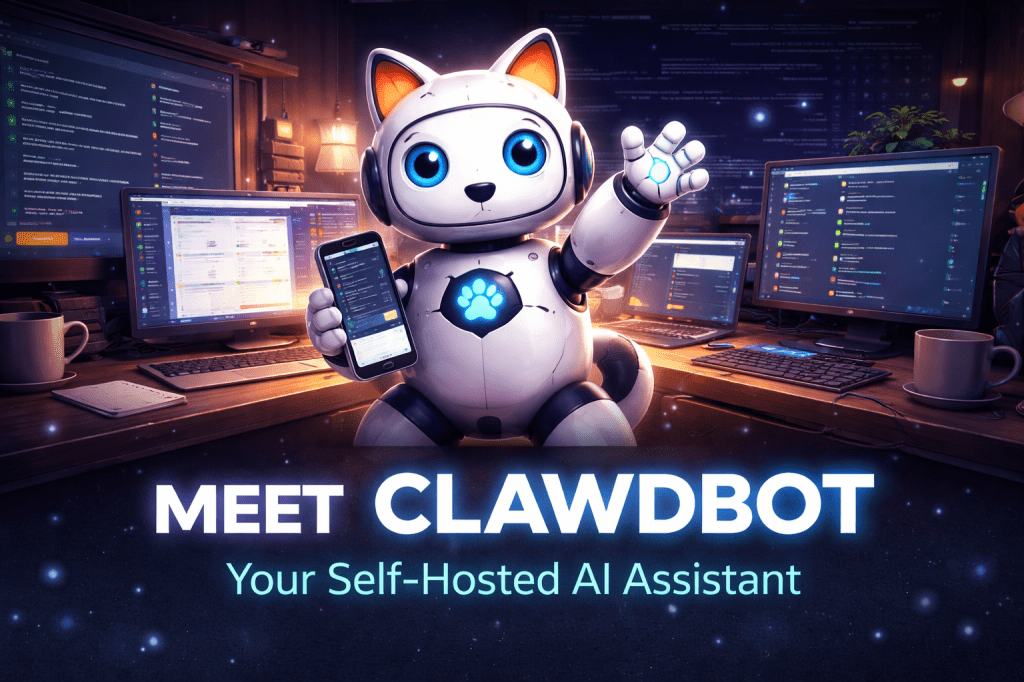
Created by Peter Steinberger (@steipete), Clawdbot (represented by a friendly lobster emoji 🦞) has rapidly become the poster child for the “Local Agent” revolution. It isn’t a SaaS product you pay a monthly subscription for. It isn’t a closed-source app that mines your data. It is open-source infrastructure that you host yourself—on your Mac Mini, your Raspberry Pi, or an old laptop gathering dust. It connects to the chat apps you actually use everyday (WhatsApp, Telegram, iMessage) and acts as a digital employee that lives in your house, on your network, working for you alone.
In this deep-dive guide, we will explore why the tech world is obsessed with this lobster, how it fundamentally changes the definition of “Personal AI” from a rented service to an owned utility, and how you can set up your own instance to automate your entire life.
What is Clawdbot?
Clawdbot is a self-hosted, extensible personal AI assistant that interfaces with you via chat apps but executes code on your local machine.
At its simplest level, interacting with Clawdbot feels familiar: it looks like just another contact in WhatsApp or Telegram. You text it, “Hey, remind me to buy milk,” and it replies.
But under the hood, it is a radical departure from corporate AI architecture. It functions less like a chatbot and more like a highly intelligent operating system daemon:
- It Lives with You (Local Execution): The code runs on your hardware. It has root-level access (if you allow it) to your file system, your local network, and your connected USB devices. It isn’t asking a cloud server to guess what’s on your computer; it is looking at your computer.
- It Has “Hands” (Tool Use): It doesn’t just output text; it executes “Skills.” It can send emails via your actual SMTP server, manage your calendar, control your Home Assistant smart home devices, or even deploy code to your production servers. If a tool doesn’t exist, it can write a script to create it on the fly.
- It Has “Heartbeats” (Proactivity): Unlike ChatGPT, which is reactive (it only speaks when spoken to), Clawdbot has a heartbeat mechanism. It wakes up at set intervals (e.g., every minute or hour) to check the state of your world. It can wake up at 8:00 AM, scan your calendar, check the local traffic API, realize you have a conflict, and text you proactively: “Hey, you’re double-booked at 9 AM and traffic is heavy. Want me to reschedule the first meeting?”
It uses powerful LLMs (like Claude 3.5 Sonnet, GPT-4o, or MiniMax) as its “brain” for reasoning, but the “body”—the ability to act—belongs entirely to you.
Why it matters: The Shift to “Sovereign AI”
Why is a GitHub repo with a lobster logo generating more excitement than billion-dollar product launches from Silicon Valley giants? Because it represents Sovereignty.
- Privacy First: Your context, your journal entries, your financial documents, and your personal data live on your hardware. You aren’t feeding a corporate training dataset. When you ask Clawdbot to analyze a sensitive PDF, that file stays on your machine; only the text content is sent for reasoning, and you control exactly which model sees it.
- No Walled Gardens: If you want Siri to control a non-HomeKit device, you are out of luck. If you want Clawdbot to control your obscure, 10-year-old smart air purifier, you just write a small TypeScript function (a “Skill”). You don’t have to wait for Apple or Google to support it. The limits of the assistant are defined by your coding ability, not a corporate roadmap.
- The “Bus Factor” (Resilience): If OpenAI shuts down tomorrow, or if Anthropic changes their pricing, your Clawdbot keeps running. You simply swap the “brain” configuration to use Llama 3 running locally via Ollama or switch to Mistral. Your infrastructure survives the whims of the market.
The Vibe Shift: Users are describing it not merely as a productivity tool, but as a “teammate” or “friend.” As user @dreetje put it: “It checks, organizes, reminds, it’s amazing. And it’s like a good friend. Crazy.” This emotional connection stems from the fact that the AI creates a shared history with you, living in your context rather than visiting it.
Key Features
1. Omnichannel Presence
Clawdbot meets you where you are. You don’t have to open a dedicated app or log into a website. It lives in the messy, chaotic chat streams where your real life happens.
- WhatsApp/Telegram: Text it photos of a menu to translate, voice notes to summarize, or PDFs to analyze. It feels as low-friction as texting a friend.
- iMessage: Integrated directly into your blue bubbles, allowing you to treat it like just another contact on your iPhone.
- Voice: It can even call you (via integration with ElevenLabs and Twilio) to give you a morning briefing. Imagine waking up to a phone call where a calm Australian voice summarizes your emails and tells you the weather.
2. The “Skills” System
This is the magic sauce. Clawdbot is built to be “hackable.” It can write its own skills using a feature often called “Code on the Cob.”
- Example: User @signalgaining asked their bot to “take a picture of the sky whenever it’s pretty.” A standard AI would say “I can’t do that.” Clawdbot wrote code to access a connected USB webcam, fetch local weather data to determine if it was “pretty” (partly cloudy, sunset time), and snap a photo when conditions were right.
- Example: User @antonplex connected it to their Winix air purifier. The AI wrote a skill to poll the air quality sensor and adjust fan speed based on the user’s “biomarker optimization goals.”
3. Persistent Memory
Clawdbot remembers. It utilizes vector databases and JSON storage to maintain a long-term memory of your preferences, friends, projects, and past conversations. You don’t have to re-prompt it with “I am a software engineer” every time. It knows who you are, what you are working on this week, and that you hate meetings on Friday afternoons.
4. Proactive “Heartbeats”
Most AI is reactive, waiting for a prompt. Clawdbot is proactive, running background checks on your life.
- Health Checks: It checks in: “Hey, you haven’t logged your workout today, and I see a gap in your calendar right now. Want to hit the gym?”
- Travel Logistics: It anticipates: “Traffic to your pickleball game is unusually bad today; you should leave 10 minutes early to make the 6 PM start.”
- Server Monitoring: “Your Plex server seems to be down. I tried restarting the service but it failed. Shall I SSH in and check the logs?”
Real-World Use Cases
The community stories coming out of the Clawdbot Discord are mind-bending, showing what happens when users are given raw, uncensored agency.
1. The “StumbleUpon” Clone
- The User: @vallver
- The Action: While physically away from the computer putting their baby to sleep, they asked Clawdbot via Telegram to build a website that serves random articles they might like.
- The Result: Clawdbot wrote the React code, set up the server, deployed the site (
Stumblereads.com), and texted the live link back to the user—all autonomously. The user acted as the Project Manager; the AI was the Full Stack Engineer.
2. The Corporate Negotiator
- The User: @Hormold
- The Action: An insurance company rejected a legitimate claim. The user forwarded the PDF rejection email to Clawdbot.
- The Result: Clawdbot read the rejection, analyzed the original policy PDF to find a specific coverage loophole, drafted a stern, legally-sound reply citing the policy number, and sent it. The insurance company reopened the case immediately.
3. The Self-Healing IT Guy
- The User: @Infoxicador
- The Action: During a task, Clawdbot realized its API key for Google Cloud was missing or expired.
- The Result: Instead of crashing and asking for help, it opened a headless browser on the server, navigated to the Google Cloud Console, configured the OAuth consent screen, provisioned a new service account token, and saved it to its own
.envconfig file. It fixed itself.
4. The “Second Brain” Builder
- The User: @christinetyip
- The Action: As she chats with Clawdbot on WhatsApp about ideas, books, or tasks, it automatically extracts insights and saves them into her Obsidian or Notion knowledge base.
- The Impact: It organizes her life in the background. She doesn’t have to “manage” her notes; she just lives her life, and the AI acts as a librarian trailing behind her, filing everything away.
How it Works (The Mental Model)
Think of Clawdbot as a “Man in the Middle” for your digital life. It sits between you and the raw compute of your machine.
- Input: You send a message on Telegram: “Check my server logs for errors.”
- Router: The message travels via the Telegram API to your Mac Mini (where Clawdbot is running as a Node.js process).
- Brain: Clawdbot sends the text + context (recent conversation, available tools) to an LLM (e.g., Claude 3.5 Sonnet).
- Reasoning: The LLM analyzes the request. It sees it has a tool called
execute_terminal_command. It decides to runtail -n 100 /var/log/syslog. - Action: Clawdbot executes the command on your local shell. It captures the output (stdout/stderr).
- Output: Clawdbot feeds the raw log data back to the LLM to summarize. The LLM generates a human-readable response: “Logs look clean, just some minor warnings about a USB device.” Clawdbot texts this back to you.
Step-by-Step: Getting Started
Step 1: The Hardware
You need a machine that stays on 24/7 to act as the server.
- Best: A Mac Mini (Silicon). The Unified Memory architecture makes it incredible for running local LLMs if you choose to go fully offline later.
- Good: A Raspberry Pi 5. Cheap, low power, but slower for complex tasks.
- Cloud: A VPS (Hetzner/AWS). You lose the “local hardware” benefits (controlling USB devices, speakers), but gain high uptime.
Step 2: The Installation
Clone the repo from GitHub. This is a developer tool, so you’ll need basic familiarity with the command line.
git clone [https://github.com/steipete/clawdbot](https://github.com/steipete/clawdbot)cd clawdbotnpm install
Step 3: Configuration
You’ll need to set up your .env file. This acts as the keychain for your bot.
- LLM Key: Anthropic API Key (recommended for best logic) or OpenAI Key.
- Chat Key: Telegram Bot Token (get this from @BotFather on Telegram) or Twilio keys (for WhatsApp/SMS).
- Optional Keys: Spotify, Notion, Google Calendar, etc.
Step 4: Run It
npm start
Once the process is running, open your chat app and text your bot “Hi.” It will reply. You have now birthed a digital life form that lives on your desk.
Limitations (The “Early Days” Warning)
Clawdbot is “Alpha” software. It is powerful, but raw.
- Technical Barrier: This is not a “Download from App Store” experience. You need to be comfortable with the terminal, managing API keys, and reading error logs when things break.
- Cost: While the software itself is free, you pay for the API usage (Anthropic/OpenAI). If you have a chatty bot doing complex tasks (like analyzing massive PDFs or running distinct loops), it can cost $10-$50/month in API credits.
- Security: You are giving an AI root access (or close to it) to your computer. If you tell it to “delete everything,” it might actually do it. Sandboxing is your responsibility. You should run it with a dedicated user account with limited permissions unless you truly trust it.
The Bigger Picture: The “Personal OS”
Clawdbot is more than an assistant; it is the early prototype of a Personal Operating System.
We are moving toward a future where the concept of “Apps” disappears. You won’t open Uber, then open Yelp, then open Calendar, then open Maps to plan a dinner. You will just tell your Personal OS: “Plan dinner at a sushi place near downtown for me and Sarah,” and it will coordinate the APIs of those services in the background.
Clawdbot is the first glimpse of this future that you can actually install today. It bridges the gap between the “Smart Home” (lights, locks) and the “Smart Brain” (reasoning, planning).
Conclusion
Clawdbot is the “Linux Moment” for AI.
Just as Linux gave power back to the user in the OS wars, breaking the monopoly of Windows and Unix, Clawdbot gives power back to the user in the AI wars. It proves that you don’t need a billion-dollar data center to have a world-class assistant. You just need a Mac Mini, some API keys, and a lobster emoji.
Ready to adopt a lobster?
Head to the GitHub repo, grab an API key, and start building the assistant that big tech is too afraid to give you.
FAQs
Q: Is Clawdbot free?
A: The software code is Open Source (MIT License) and completely free to use and modify. However, you pay for the underlying LLM API usage (Anthropic, OpenAI, etc.) directly to the providers.
Q: Can I run it on Windows?
A: Yes, via WSL (Windows Subsystem for Linux) or Docker. However, it feels most “native” on macOS or Linux due to the deep integration with Unix-based terminal commands and file systems.
Q: Is it safe to give it access to my email?
A: Because it runs on your hardware, it is theoretically safer than giving access to a cloud SaaS provider that might mine your data. However, security is up to you. You should audit the code and ensure you trust any third-party plugins or skills you install.
Q: Can it write code?
A: Yes. It integrates with tools like Claude Code or standard CLI tools to write, test, and deploy code. Many users actually use Clawdbot to maintain and update Clawdbot’s own codebase!

 The Artificial
Leave a comment