
~30 min read
Sending a scheduling link is efficient, but let’s be honest: it’s a power move. It says, “My time is more valuable than yours; you do the work.”
We have all felt that subtle friction. You ask a potential client, a busy executive, or even a mentor for a quick 15-minute chat, and they reply with a naked Calendly link. It feels transactional. It feels cold. It shifts the administrative burden entirely onto the person asking for the meeting, forcing them to navigate your grid and fit into your world. It unintentionally establishes a hierarchy before the conversation even begins.
But the alternative—the dreaded Email Ping Pong—is a productivity nightmare that wastes hours of your week. We’ve all been trapped in that endless thread: “Does Tuesday work?” “No, I’m traveling.” “How about Thursday?” “Sorry, are we talking EST or PST?” “actually, something just came up.” It often takes 30 emails just to settle on “Tuesday at 2 PM.”
For years, we’ve had to choose between being Efficient (sending a link) and being Polite (sending an email). This binary choice has defined professional communication for a decade.
Enter Easymeety.ai.
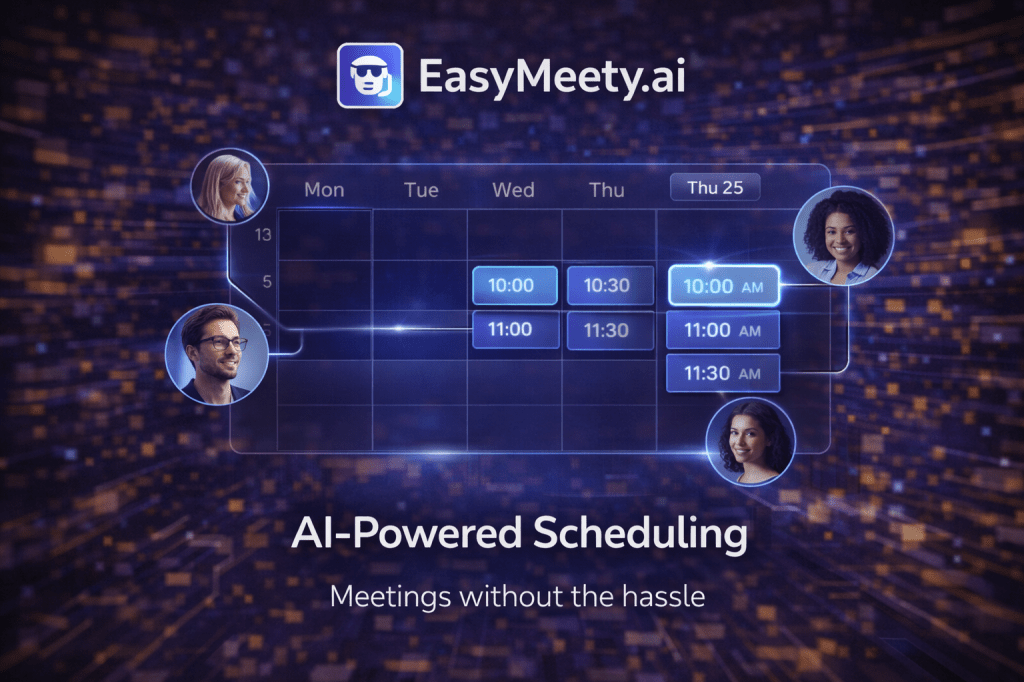
Easymeety is the first AI scheduling agent designed to kill both the booking link and the email thread. It isn’t a static calendar page that you have to configure; it is an Autonomous Executive Assistant that lives inside your email inbox. You simply CC it, and it negotiates the time for you, politely, naturally, and handling all the timezone math without you ever lifting a finger again.
In this deep-dive guide, we’ll explore how Easymeety is bringing “politeness” back to scheduling and why AI agents are the new Executive Assistants for everyone, not just the Fortune 500 CEOs.
What is Easymeety.ai?
Easymeety is an AI agent that negotiates meeting times via natural language email.
Unlike Calendly, Cal.com, or Google Appointment Slots, which require the recipient to click a link, view a grid, and hunt for a slot that matches their own calendar, Easymeety acts like a human assistant. It reads the email thread, understands the context, and engages in a conversation to find a solution.
It bridges the gap between the rigid structure of a database (your calendar) and the messy, unstructured nature of human communication (email).
The Workflow: From Introduction to Invite
- You: Email a high-value client (let’s call her Sarah) and CC
agent@easymeety.ai(or a custom alias likescheduler@yourdomain.comfor the pro plan). - You say: “Hey Sarah, let’s catch up next week to discuss the Q4 strategy. Easymeety (cc’d) will help us find a time that works best for you.”
- Easymeety (The Brain): Instantly scans your connected calendars (Google, Outlook, iCloud). It checks your deep preferences (e.g., “No meetings before 10 AM,” “Leave 15 minutes buffer between calls,” “Prioritize afternoon slots for external calls,” “Don’t book over my gym time even if it’s not marked ‘busy’”).
- Easymeety (The Action): It replies to Sarah directly, usually within minutes:”Hi Sarah, happy to help find a time for you and John. He is available Tuesday between 1pm-4pm EST or Wednesday morning before 11am. Do either of those windows work for you? If not, let me know what does, and I’ll make it happen!”
- Sarah: “Actually, Wednesday at 10 AM works perfectly for me.”
- Easymeety: “Great, I’ve booked it for Wednesday at 10 AM EST. Sending the invite now.” It sends the calendar invite to both of you with a dynamic Zoom/Teams/Google Meet link automatically included.
You never had to open your calendar app. Sarah never had to feel like she was booking a dentist appointment. The interaction remained conversational and human-centric.
Why it matters: The “Etiquette” Engine
Efficiency usually kills etiquette. In our rush to optimize our workflows, we have dehumanized our interactions. Easymeety restores that human touch while maintaining the speed of software.
1. The “Status” Neutralizer
Sending a link implies a hierarchy—you are the busy one, they are the petitioner. It works fine for a doctor or a consultant, but it can be offensive in a partnership or sales context. Having an assistant (even a digital one) implies you are professional and value their time. Easymeety democratizes the “I’ll have my people call your people” workflow, making solopreneurs, freelancers, and small business owners look like established agencies with dedicated support staff.
2. Context Awareness & “Soft Rules”
A static link is dumb. It sees a free slot at 4:30 PM on a Friday and offers it to anyone who clicks. But a human (and Easymeety) knows that even though you are technically free, you usually use that time to wrap up your week, clear your inbox, or pick up the kids. It won’t offer “protected” slots unless the meeting is marked as urgent in the email body. It understands the “soft” rules of your life that don’t appear on a grid.
3. The “Group” Solver
Booking a meeting with 5 people from 3 different companies is impossible with a simple link because you can’t see their calendars. You usually end up sending a Doodle poll that nobody fills out. Easymeety acts as the coordinator. It can email all 5 participants, tally their responses (“Bob can do Tues, Alice can do Wed”), and propose the specific slot that works for the majority, or suggest a new time entirely. It handles the “herding cats” problem autonomously.
Key Features
1. Natural Language Negotiation
It doesn’t sound like a robot. The AI is trained on thousands of professional email threads. It varies its phrasing so it doesn’t sound repetitive. It says “Happy Tuesday!” or “Hope you had a great weekend.” It understands nuance and intent.
- Scenario: A client replies, “I’m free at 2 PM, but I might be 5 minutes late coming from another call.”
- Action: Easymeety parses this intent and updates the calendar invite notes to say “Soft start at 2:05 PM,” ensuring you aren’t sitting in an empty Zoom room wondering where they are. It manages expectations, not just time slots.
2. The “Pre-Meeting” Brief (Smart Dossier)
Easymeety doesn’t just book the meeting; it preps you for it. Five minutes before the call starts, it emails you a “Smart Dossier”, ensuring you never enter a meeting cold.
- Who: A summarized LinkedIn bio of the person you are meeting (e.g., “Sarah just got promoted to VP of Sales last month. She previously worked at Salesforce.”).
- History: A summary of your last 3 email exchanges with them, so you remember what was discussed and don’t ask repetitive questions.
- Context: “You last spoke 3 months ago about Project Alpha. The action item was to send the contract.”
3. Dynamic Rescheduling (The “Running Late” Button)
We’ve all been there: stuck in traffic, a meeting that ran long, or a family emergency. Instead of dangerously trying to draft an apologetic email while driving, you just text Easymeety (via WhatsApp/SMS): “Running 10 late.”
Easymeety instantly emails the participants: “John is running about 10 minutes behind schedule and apologizes for the delay. He’ll join shortly! Thanks for your patience.” It handles the crisis communication for you, preserving your reputation.
4. “Soft” Holds & Double-Booking Protection
When Easymeety proposes a time to a VIP client (e.g., “Tuesday at 2 PM”), it puts a “Soft Hold” on your calendar for that slot. This ensures that you don’t accidentally book over it manually or let another Calendly user snatch it while you are waiting for the VIP to reply. If the VIP declines, the hold is released automatically. This solves the “race condition” problem of calendar scheduling.
Real-World Use Cases
1. The Sales Executive
- Scenario: High-touch enterprise sales where relationships are everything. Sending a link can be seen as “big timing” the prospect or being lazy.
- The Fix: Instead of forcing a CEO prospect to click a link, the rep CCs Easymeety. The experience feels white-glove and bespoke. The prospect feels taken care of, increasing the meeting show-up rate and setting a positive, service-oriented tone before the call even begins.
2. The Recruiter
- Scenario: Scheduling 30 interviews a week with candidates across different time zones (London, New York, Tokyo). The math of converting BST to EST is prone to human error.
- The Fix: Easymeety handles the complex timezone conversions automatically. If a candidate cancels last minute, Easymeety can instantly email the next person on the waitlist to offer the newly opened slot, keeping the hiring pipeline moving without manual intervention.
3. The Podcast Host
- Scenario: Booking guests who are famous, busy, and notoriously bad at checking their calendars. They often agree to come on and then ghost the scheduling email.
- The Fix: Easymeety handles the follow-up. If the guest doesn’t reply to the initial time proposal in 48 hours, Easymeety gently nudges them: “Hi, just bumping this to see if Tuesday still works for you? If not, we can look at next week.” It is persistent without being annoying, ensuring you get the booking.
4. The Venture Capitalist
- Scenario: Managing a portfolio of 50 founders who all need “quick syncs.” Without boundaries, the VC’s calendar becomes Swiss cheese.
- The Fix: The VC uses Easymeety to enforce strict timeboxing. They tell the AI, “Only book portfolio updates on Tuesdays and Thursdays.” Even if the VC is free on Monday, Easymeety will politely steer the founder to the dedicated slot, protecting the VC’s “deep work” time on other days.
Privacy & Trust: Giving AI the Keys
The biggest hurdle for new users is trust. Can I trust an AI to email my biggest client?
Easymeety addresses this with a “Draft Mode” for new users. In this mode, the AI drafts the reply but sends it to you first for approval. You click “Approve” (or edit it) before it goes to the client. Most users start with Draft Mode for a week, realize the AI is more polite than they are, and switch to “Full Auto” mode.
Furthermore, Easymeety is SOC-2 compliant and only accesses calendar metadata (free/busy status) rather than the contents of your private events, ensuring your data remains secure.
Easymeety vs. Calendly vs. Clockwise
| Feature | Easymeety.ai | Calendly | Clockwise |
| Interface | Email (Invisible to User) | Web Link (Visible) | Calendar Overlay |
| User Experience | Human-like, Conversational | Transactional, Self-Serve | Internal Optimization |
| Best For | External Negotiation, VIPs | Mass Scheduling, Demos | Internal Team Syncs |
| Setup | Zero (Just CC the email) | High (Config rules/links) | Medium (Team install) |
| Follow-up | Automatic Nudges | None | N/A |
| Tone | Adaptive (Formal/Casual) | Fixed (Template) | N/A |
The Distinction: Clockwise is great for optimizing your team’s internal calendar (moving meetings to create focus time). Calendly is great for mass inbound (letting anyone book you via a website button). Easymeety is for Outbound Negotiation—where you are asking for the time and want to be polite about it.
Conclusion
Easymeety.ai proves that the best interface is no interface.
We don’t want more tools to manage our calendars. We want our calendars to manage themselves. We are moving away from the era of “Task Management” and into the era of “Task Delegation.” By moving the complexity of scheduling into an intelligent agent, Easymeety allows us to focus on the meeting itself—the strategy, the connection, the sale—rather than the logistics of making it happen.
It brings the luxury of an Executive Assistant to everyone, restoring a layer of politeness and sanity to our digital interactions.


 The Artificial
Leave a comment