
~45 min read
We have all been there: The “Scroll of Death.”
You are deep in a conversation with ChatGPT or Claude. You start with a spark of an idea—maybe a comprehensive marketing strategy for a new coffee brand. You ask for a tagline. Then you ask to refine the email copy based on that tagline. Then you realize the tagline is actually a bit weak, so you want to go back and try a completely different angle—maybe focusing on sustainability instead of taste.
But to do that in a standard chat interface, you have to scroll up past 4,000 words of generated text, find the original prompt, edit it, and—here is the painful part—lose the 20 subsequent messages you just generated. The interface forces you to destroy your future to change your past. Or worse, you try to pivot in the current thread: “Actually, forget the taste angle, let’s do eco-friendly.” But the AI is now confused. Its context window is filled with the old “Taste” strategy, bleeding into the new “Sustainability” strategy, resulting in a muddled mess that serves neither goal.
Linear chat is great for quick Q&A. It is terrible for complex, iterative thinking. Our brains don’t work in straight lines; they branch, loop, expand, and converge. We hold multiple possibilities in our heads simultaneously.
Enter Flowith.io.
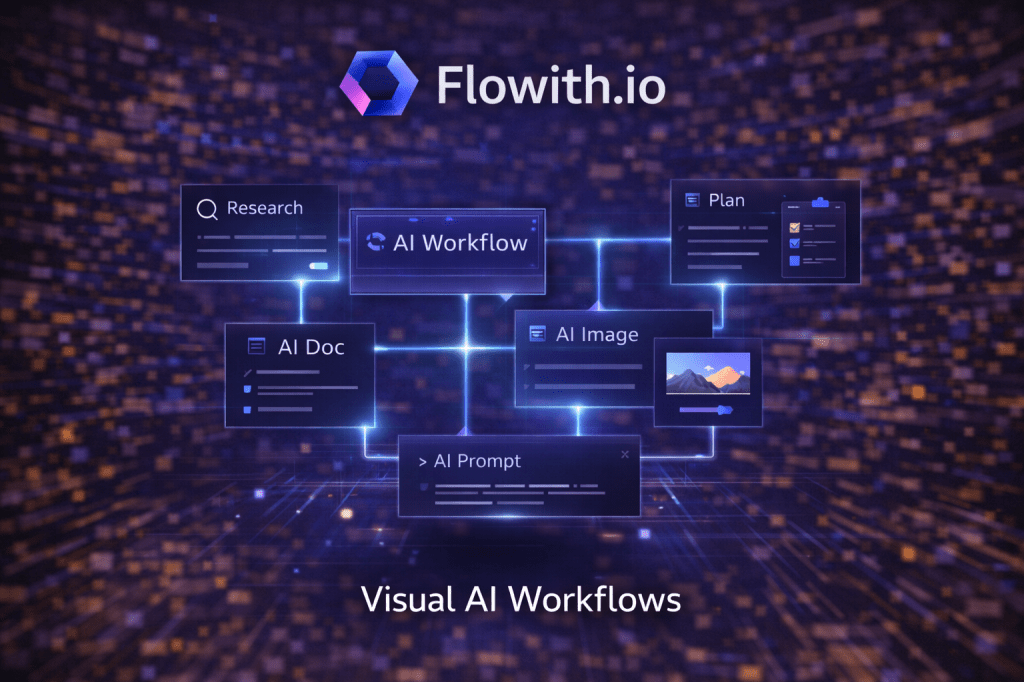
Flowith is an AI workspace that ditches the tyranny of the chat thread for the freedom of an Infinite Canvas. Instead of a single column of ephemeral text, you work with persistent “nodes.” You can branch a conversation into five different realities, run three different versions of a prompt side-by-side to compare outputs, and map out complex workflows visually. It turns AI interaction from a fleeting “conversation” into a permanent “blueprint” of your thought process.
In this deep-dive guide, we’ll explore how Flowith is leading the “Canvas Revolution,” why node-based AI is fundamentally superior for serious work, and how you can use it to structure your thoughts better than ever before.
What is Flowith.io?
Flowith is a node-based AI environment that allows for non-linear content generation and multi-model orchestration.
If ChatGPT is a text message conversation, Flowith is a whiteboard that talks back. It borrows the visual language of tools like Miro or FigJam but embeds the AI intelligence directly into the sticky notes. It transforms the experience from “talking to a bot” to “building a machine.”
The Mental Model:
- Nodes (The Atoms): Every interaction is a “card” or “node” on a canvas. A node can be a text prompt, an image generator, or a web search. It holds both your instruction and the AI’s result. Unlike a chat bubble, a node is a standalone object—you can move it, resize it, or duplicate it.
- Edges (The Logic): You connect nodes together with lines. This isn’t just aesthetic; it defines the data flow. The output of Node A automatically becomes the context input for Node B. This creates a chain of thought that you can see and manipulate. If you disconnect the line, Node B stops “knowing” about Node A.
- Branching (The Multiverse): You can connect Node A to Node B and Node C simultaneously. This allows you to test two different directions (e.g., “Write this email to a CEO” vs. “Write this email to an Intern”) at the exact same time, without losing your place or polluting the context of the other branch.
It aggregates top-tier models (GPT-4o, Claude 3.5 Sonnet, Gemini 1.5 Pro, Flux) into this single visual interface, allowing you to pick the best brain for each specific step of your flow.
Why it matters: The End of “Context Amnesia”
The biggest hidden limitation of standard chatbots is Context Management and Token Pollution.
- The Linear Trap: In a long chat, the AI eventually “forgets” the beginning as the context window fills up with noise. Worse, it gets confused by its own previous bad ideas. If you spend 20 messages brainstorming bad names, those bad names are still in the AI’s memory when you ask for the final selection, subtly influencing the quality. You are effectively poisoning the well with every iteration.
- The Flowith Fix (Clean Context): In Flowith, the context is strictly defined by the connections. You can have a “Root Node” containing your brand guidelines (the Source of Truth), and connect it to 50 different “Child Nodes.”
- Child Node A only sees the Root.
- Child Node B only sees the Root.
- Crucially: Child Node B does not see the messy brainstorming happening in Child Node A.
This keeps the context pure. You can have a messy, chaotic brainstorming session in one corner of the canvas without it degrading the quality of the final draft in another corner. It allows for “Clean Room” thinking within a single project.
Key Features
1. Visual Branching & A/B Testing
This is the killer feature for anyone who cares about quality or prompt engineering. You write a blog post outline in Node 1. You aren’t sure what tone will work best, or which AI model handles the topic better.
- Create a branch (Node 2) asking for a “Professional, Corporate” tone using GPT-4o.
- Create a parallel branch (Node 3) asking for a “Witty, Gonzo Journalism” tone using Claude 3.5 Sonnet.
- Create a third branch (Node 4) asking for a “Minimalist” tone using Gemini Pro.
You hit “Run” once, and all three generate side-by-side. You don’t have to toggle chats or copy-paste into a Google Doc to compare them. You can visually scan the results, iterate on the winner, and leave the losers behind without deleting them (preserving your history of what didn’t work).
2. Multi-Model Orchestration
You aren’t locked into one AI model for the entire workflow. Flowith acts as a “Model Router,” allowing you to build a team of experts rather than relying on one generalist.
- Step 1: Use Claude 3.5 Sonnet in the first node to write the code structure (because it is currently the king of coding tasks and architectural reasoning).
- Step 2: Connect that output to a GPT-4o node to critique the logic and look for edge cases (because it often excels at reasoning and logic checks).
- Step 3: Connect the final text to a Flux or Midjourney node to generate a cover image for the project based on the code’s description.
Flowith handles the API handshakes seamlessly. You don’t need to know how to code; you just draw a line from the text node to the image node.
3. The “Megaphone” Pattern
This is the ultimate productivity hack for content repurposing. You can take one “heavy” input (e.g., a 20-page PDF report, a raw transcript, or a technical whitepaper) and blast it into five simultaneous outputs via a “One-to-Many” connection:
- Summary Node: “Summarize the key findings in 5 bullet points for an executive.”
- Social Node: “Write a viral Twitter thread hooking the reader with the most shocking stat.”
- Blog Node: “Write a 500-word SEO blog post targeting the keyword ‘Future of AI’.”
- Action Node: “Extract a checklist of action items for a developer.”
- Quiz Node: “Create a 5-question quiz to test understanding.”
All five generate at the same time. In ChatGPT, you’d have to ask for these one by one, waiting for each to finish, and risking the AI hallucinating details as the chat gets longer and the context window drifts.
Real-World Use Cases
1. The Content Factory
- Goal: Turn a dry product update (technical changelog) into a multi-channel marketing campaign.
- The Flow:
- Root Node: Paste the raw technical changelog and the company Brand Voice guidelines.
- Branch A (LinkedIn): “Write a post focusing on B2B value and ROI. Use professional formatting.”
- Branch B (Twitter): “Write a thread using emojis, memes, and casual tone. Focus on the ‘cool factor’.”
- Branch C (Email): “Write a customer support email explaining how to use the new feature step-by-step.”
- Branch D (Internal): “Write a briefing for the sales team on how to sell this against our competitors.”
- Result: You generate a week’s worth of content instantly. Because every node pulls from the same Root source of truth, the messaging is consistent, even if the tone varies.
2. The Coding Architect
- Goal: Build a complex full-stack feature without getting lost in disparate code files.
- The Flow:
- Root Node: Define the architecture, database schema, and user requirements.
- Branch A: “Write the SQL migration script to create the tables.”
- Branch B: “Write the React frontend component using Tailwind CSS. Use the schema from the root.”
- Branch C: “Write the Node.js API endpoint to handle the request.”
- Branch D: “Write the Jest unit tests for the API.”
- Result: Each branch works off the same architecture definition but focuses on its specific task. You can see the full stack logic in one view, ensuring the frontend matches the backend before you even open your IDE.
3. The Research Deep Dive
- Goal: Analyze a competitor’s website and strategy to find a wedge in the market.
- The Flow:
- Root Node: The Competitor’s URL.
- Branch A: “Analyze their pricing strategy and upsell mechanics. Are they cheap or premium?”
- Branch B: “Analyze their SEO keywords and top-ranking pages. Where are they getting traffic?”
- Branch C: “Analyze their feature gaps based on negative reviews. What do users hate?”
- Merge Node: Connect A, B, and C to a final node: “Combine these insights into a SWOT analysis and suggest 3 ways we can win.”
4. The Novelist / Storyteller
- Goal: Plot out a mystery novel where the ending needs to make sense, exploring multiple plot twists.
- The Flow:
- Root Node: Character bios, setting description, and the “Inciting Incident.”
- Branch A: “Scene 1: The Detective finds the body. Describe the clues.”
- Branch B (Option 1): “Scene 2: The Butler looks guilty. Write a dialogue where he slips up.”
- Branch C (Option 2): “Scene 2: The Wife looks guilty. Write a dialogue where she hides a letter.”
- Branch D: “Write the climax based on Option 1 (The Butler did it).”
- Result: Writers can “fork” their story to see where different plot choices lead without deleting their work. It visualizes the narrative arc and helps spot plot holes.
Flowith vs. The Rest
| Feature | Flowith.io | ChatGPT / Claude | Miro / FigJam AI |
| Interface | Node Canvas | Linear Chat | Sticky Notes on Whiteboard |
| Context | Branching / Selective (Nodes only see what they connect to) | Rolling Window (Sees everything above it) | Unstructured (AI sees everything or nothing) |
| Multi-Model | Yes (Mix & Match) | No (Platform locked) | Limited |
| Workflow | Process-Oriented (Blueprint) | Conversation-Oriented | Brainstorm-Oriented |
| Best For | Complex Workflows & Iteration | Quick Q&A | Visual Collaboration |
Limitations
- Learning Curve: It is not as simple as “type and hit enter.” You have to think structurally about your inputs and outputs. It requires a “Systems Thinking” or “Flow Engineering” mindset.
- Mobile Experience: Canvas interfaces are notoriously hard to use on phones. Flowith is a desktop-first tool; trying to drag nodes on an iPhone is currently frustrating.
- Cost: It is a power tool with a subscription model (plus potentially API costs if you use your own keys), which can add up compared to a flat $20 ChatGPT sub.
Conclusion
Flowith is the IDE for Thought.
Just as software engineers wouldn’t write complex code in Microsoft Word, knowledge workers shouldn’t build complex ideas in a linear chat box. Linear chat forces you to think sequentially; Flowith allows you to think laterally.
By moving to a canvas, you unlock the ability to think in parallel, experiment without fear of losing context, and orchestrate multiple AIs to do your bidding. It transforms the AI from a chat partner into a customizable engine.
Ready to break the line?
Go to flowith.io, start a new canvas, and try the “Megaphone” pattern on your next project. You’ll never want to go back to a single thread again.
 The Artificial
Leave a comment